
Quizel › Quiz from a PDF
How-to
Make a quiz from a PDF: to test yourself, with AI
Quizel turns your PDF into a multiple-choice quiz on iPhone and iPad: import the PDF, choose Quiz, pick 5 to 40 questions and tap Generate. Every question has four answers and an explanation once you have answered. The quiz is built for studying on your own, not for live quizzes with a class, and creating one requires Quizel Pro ($34.99 per year or $3.99 per week in the US App Store).
Step by step
- Add your material. Tap Create and import a PDF or text file, paste your notes, or scan up to eight pages.
- Choose Quiz. You can make flashcards from the same material later.
- Pick 5 to 40 questions. For a first pass through one chapter, 10 to 15 is enough.
- Tap Generate. Only now is your text sent to the Quizel service.
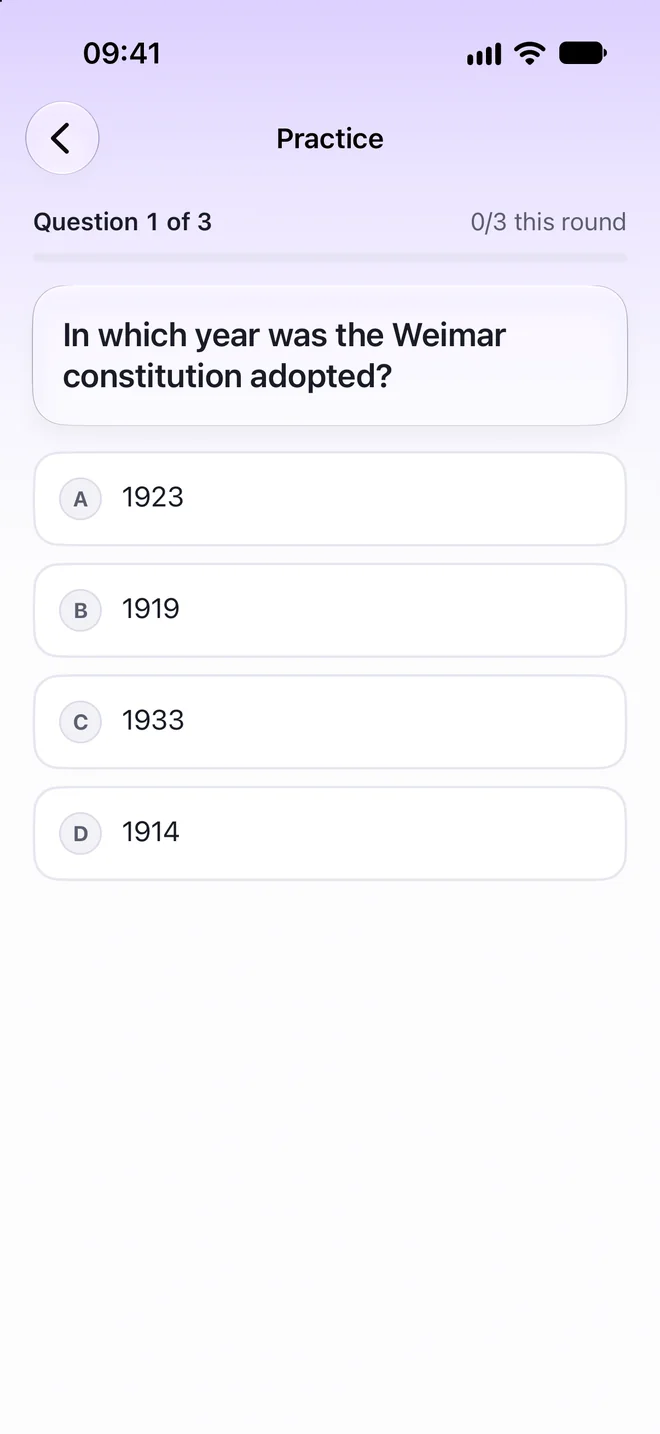
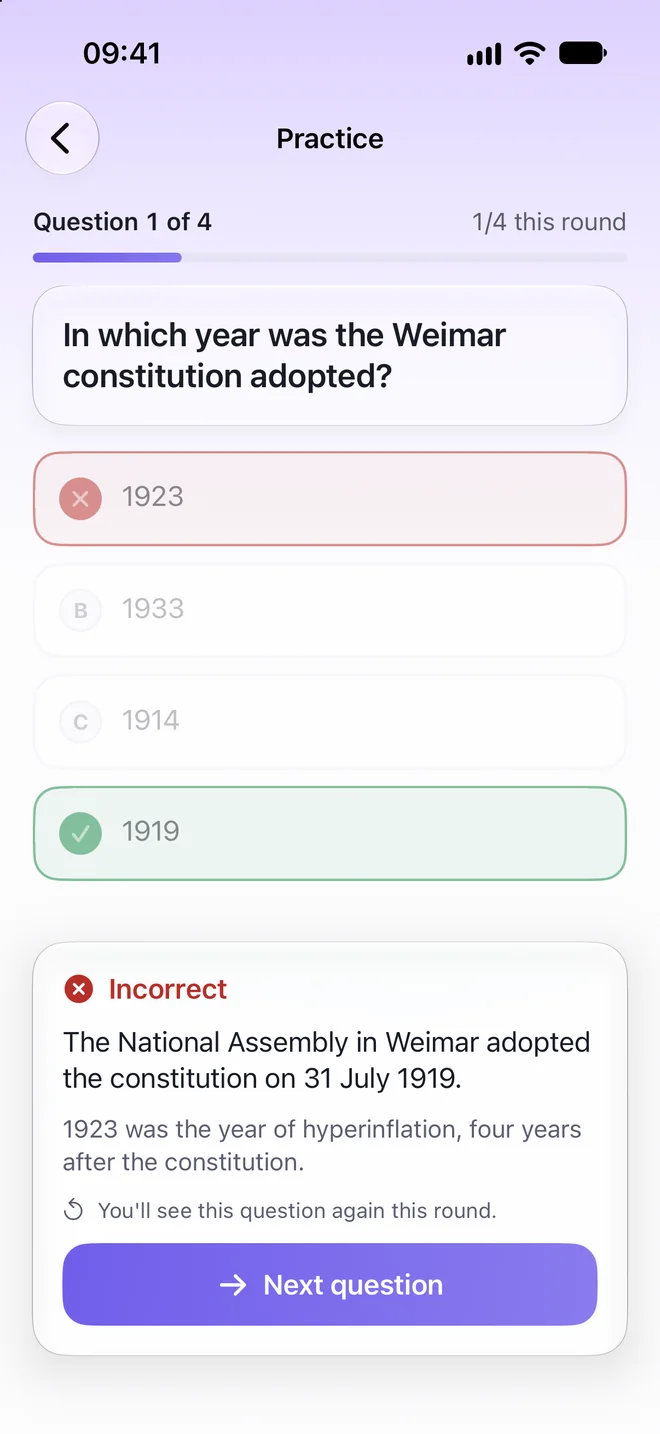
- Answer. After each answer you see the correct one and a short explanation. Whatever hasn’t stuck comes back in the same round.
What you get, and what you don’t
| Point | In Quizel |
|---|---|
| Question type | Multiple choice with four answers. No fill-in-the-blank, no open questions, no matching. |
| Explanation | After every answer, based on your text. |
| Size | 5 to 40 questions per quiz, up to 60,000 characters of source text. |
| Progress | A daily study streak, and exam readiness per study item that is only confirmed across several days. |
| Sharing | Not possible. No live quiz, no link for others, no export. |
| Devices | iPhone and iPad. No Android, no web. |
Which PDFs can be read (text PDFs yes, scanned PDFs only through the scanner, up to 20 MB) is covered in detail in the guide Make flashcards from a PDF. The limits are the same for quizzes and cards.
A self-test, or a quiz for other people?
Many quiz generators on the web are built for teachers and presentations: you make a quiz, share a link and see how a group answered. Quizel does a different job. You quiz yourself on your own material, alone, on your phone.
- You’re studying for a midterm or a final: a self-testing tool like Quizel fits.
- You want to quiz a class or an audience: use a live quiz tool with a join link. Quizel can’t do that.
- You need a printable worksheet: Quizel isn’t made for that either.
How reliable are the questions?
The AI is instructed to base every question and every explanation on your text. Mistakes still happen: a wrong answer that is too obviously wrong, a vague wording, and now and then an incorrect answer key. Check a new quiz against your notes once before you rely on it.
Why quizzing yourself is worth it: in the review by Dunlosky and colleagues (2013), practice testing is one of only two study techniques rated high utility. Rereading and highlighting are rated low.
What does it cost?
The download is free, and you can prepare your material before you subscribe. Generating requires Quizel Pro: $34.99 per year (with the first 7 days free where available) or $3.99 per week in the US App Store. Prices differ by country; Apple shows yours before you confirm. Quizzes you already made stay usable without a subscription. For context, see the price comparison.
Frequently asked questions
Can I share the quiz with other people?
No. Quizzes live on your device and can’t be shared or exported.
Does it work with photos of worksheets?
Yes. You can import photos or scan up to eight pages. The text is recognized on your device. Handwriting is not read reliably.
Can it summarize my PDF?
No. Quizel makes quizzes and flashcards from your text. It does not write summaries.
Is my PDF uploaded?
Not the PDF itself. Quizel reads the text on your device and sends only that text to the Quizel service when you tap Generate. Details are in the privacy policy.
Test yourself on your own material
Get Quizel, import your notes and turn them into a quiz.

Free download for iPhone and iPad. Creating your own quizzes and flashcards requires Quizel Pro.