
Quizel › PDF to flashcards
How-to
Make flashcards from a PDF: with AI, on iPhone and iPad
With Quizel you turn a PDF into flashcards on iPhone and iPad: import the PDF, choose Flashcards, pick 5 to 40 cards and tap Generate. The AI writes each question and answer from your text. It works with PDFs that contain selectable text, up to 60,000 characters per set, and requires Quizel Pro ($34.99 per year or $3.99 per week in the US App Store).
Step by step
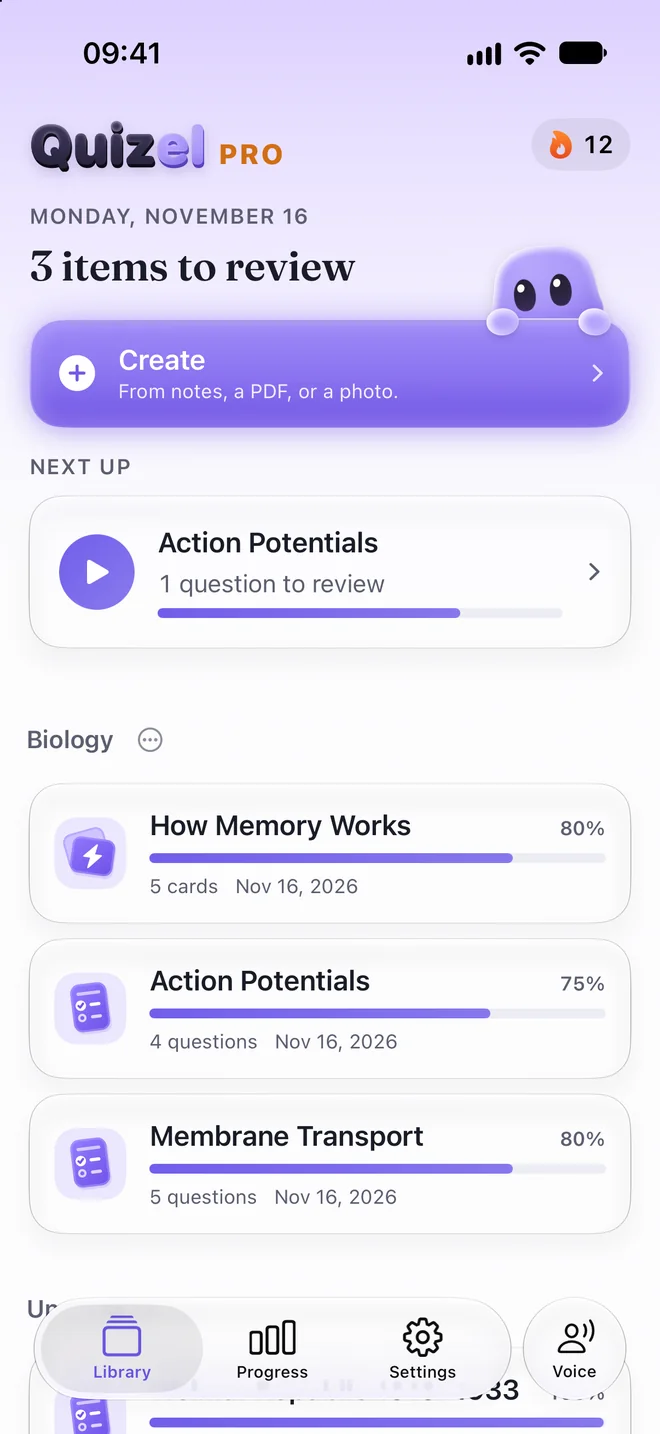
- Import the PDF. Tap Create in Quizel and pick your PDF from the Files app. Quizel reads the text on your device.
- Choose Flashcards. The same PDF can also become a multiple-choice quiz. You decide per set.
- Pick the number. 5 to 40 cards per set. For one chapter, 15 to 25 is usually enough.
- Tap Generate. Only now is your text sent to the Quizel service. The AI writes fronts and backs based on your text.
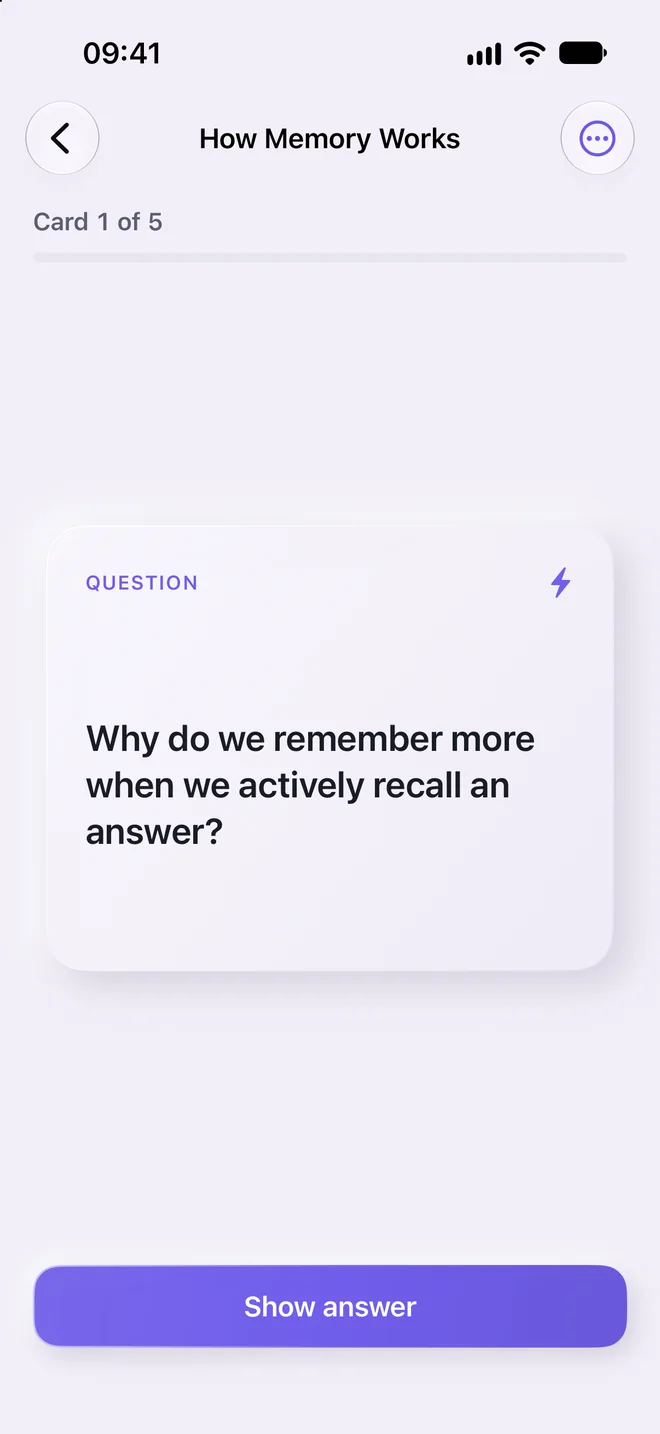
- Study. Read the card, answer in your head, reveal, then rate yourself with “Knew it” or “Didn’t know”. Whatever hasn’t stuck comes back in the same round.
Which PDFs work?
Not every PDF contains text an app can read. These are Quizel’s exact limits, so you know before you try:
| Your file | Does it work? | What to do |
|---|---|---|
| PDF with selectable text | Yes | Import it directly. Up to 20 MB and 60,000 characters of text per set. |
| Long script (over 60,000 characters) | Not in one go | Split it by chapter and make one set per chapter. 60,000 characters is roughly 20 to 30 full pages of text. |
| Scanned PDF (images only) | Not as a PDF | Capture the pages with the document scanner in Quizel (up to eight pages) or import them as photos. The text is recognised on your device. |
| Slides with little text | Limited | The AI can only ask about what is written. Add your own notes. |
| Handwriting, formulas as images | Unreliable | Type or paste the text. Always proofread the result. |
As of Quizel 1.0.13. How to spot a text PDF: if you can select a word with your finger, the file contains text.
How good are AI flashcards?
The AI is instructed to base questions and answers on your text. Individual cards can still be wrong, vague or too easy. Read a new set against your notes once before you rely on it for an exam.
The real gain is not in making cards but in testing yourself: in the review by Dunlosky and colleagues (2013), practice testing is one of only two study techniques rated high utility, while highlighting and rereading are rated low. Flashcards only work if you form the answer in your head before you reveal it.
What Quizel can’t do
- iPhone and iPad only. There is no Android app and no web version.
- Creating costs money. The download is free; making your own cards from a PDF requires Quizel Pro. Cards you already made stay usable without a subscription.
- No export. Sets can’t be exported to Anki or as a file.
- No sync between devices. Cards and progress live on your device, with no account. There is no sync of its own between iPhone and iPad.
Three other ways, compared
| Way | Strength | Weakness |
|---|---|---|
| Quizel | PDF in, cards out, on your phone with no detour via a laptop. Quizzes and a study streak in the same app. | iOS only, subscription needed, no export. |
| Writing cards yourself | You process the material while writing and control every wording. | Takes a lot of time you may need for reviewing just before the exam. |
| A general AI chat | Flexible: you set style, language and difficulty freely. | You get text, not study cards. Quizzing, rating and repeating are up to you, or you move the text into a card app. |
| A web tool on a laptop | Big screen, often with export to other formats. | Often needs an account and a file upload, and the deck isn’t automatically on your phone. |
Rule of thumb: if you study the cards on your phone anyway and the exam is close, an app like Quizel saves you the detour. If you want to collect cards in one system for years and export them, write them yourself or use a tool with export.
What does it cost?
Quizel Pro costs $34.99 per year (with the first 7 days free where available) or $3.99 per week in the US App Store. Flashcards, quizzes and Voice Mode are included. Prices differ by country; Apple shows yours before you confirm.
Frequently asked questions
Can I make a quiz from the same PDF?
Yes. Choose Quiz instead of Flashcards when you create. You get multiple-choice questions with four answers and an explanation after each answer.
Is there a free way?
Downloading the app and preparing your material are free. Generating your own cards requires Quizel Pro; the annual plan starts with 7 days free where available.
Is my PDF uploaded?
Not the PDF itself. Quizel reads the text on your device and sends only that text to the Quizel service when you tap Generate. The finished cards stay on your device. Details are in the privacy policy.
Do I need an account?
No. Quizel works without sign-up. Purchases use your Apple Account.
Try it with your own notes
Get Quizel, import a PDF and turn it into flashcards or a quiz.

Free download for iPhone and iPad. Creating your own quizzes and flashcards requires Quizel Pro.